GitHub pull requests and CI on your Mac
Check open pull requests and recent GitHub Actions runs from your Mac’s notch. Set up a repository in MakerNotch and know when to open GitHub.
Last updated:
Home / MakerNotch guides
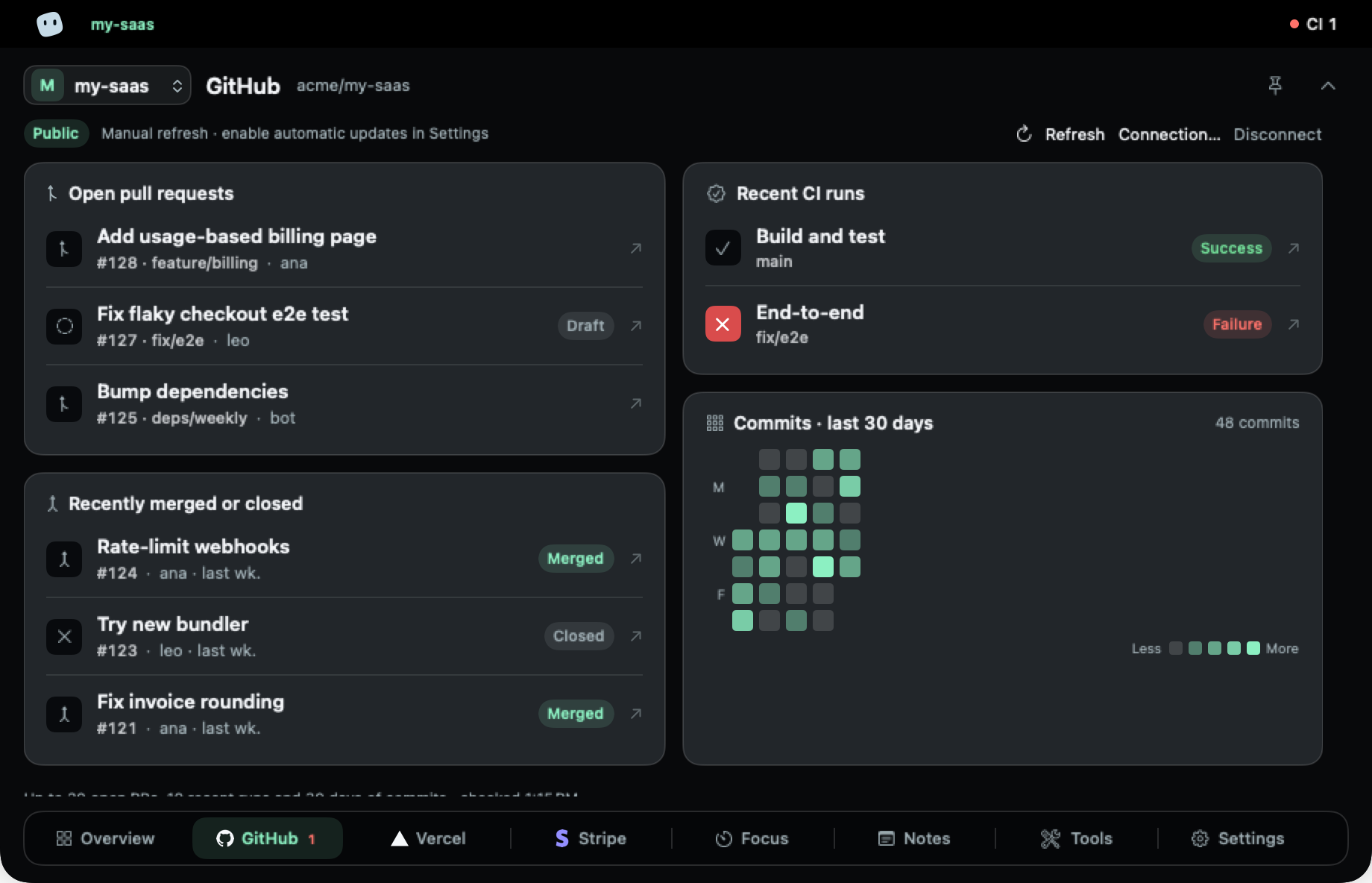
Check the repository without interrupting your work
You push a change, return to your editor and later need to know whether CI passed. Or you are maintaining another project and want to check its open pull requests before switching tasks. MakerNotch puts a repository summary at the top of your Mac screen, alongside the other connections for that project.
The GitHub view shows open pull requests and recent GitHub Actions runs. It is a place to decide what needs your attention. Open GitHub when you need to read a full discussion, review a diff or investigate a failing workflow.
Connect your repository
- Install and activate MakerNotch, then select the project you want to configure.
- Open the GitHub connection in settings and choose or enter the repository you want to follow.
- For a private repository, supply a token that can read the required repository data. The connection form provides guidance; repository access also depends on your organisation’s policies. Public repositories can be connected without a token.
- Complete the connection checks and open the GitHub view to inspect the returned pull requests and CI runs.
A saved token is kept in the macOS Keychain for that MakerNotch project. If you work on two products, configure each project separately instead of assuming one repository applies to both.
Decide how to refresh
You can refresh the selected project manually or enable automatic refresh in settings. Automatic checks are periodic, not a live stream: the app describes approximately one minute while open and five minutes while closed, with a longer open interval for public GitHub access without a token. Sleep, errors and provider rate limits can delay a check.
If a repository or workflow is missing
Check the repository name and the token’s access to it first. A private repository may be unavailable because of token permissions or an organisation policy. A repository without Actions runs will not have a workflow history to display. Rate-limit errors require waiting before another attempt; repeated refreshes do not bypass them.
Does this replace GitHub reviews?
No. Use MakerNotch for a quick status check and GitHub for the detailed review. If deployment status is your next question, connect Vercel to the same project and continue with the deployment guide below.