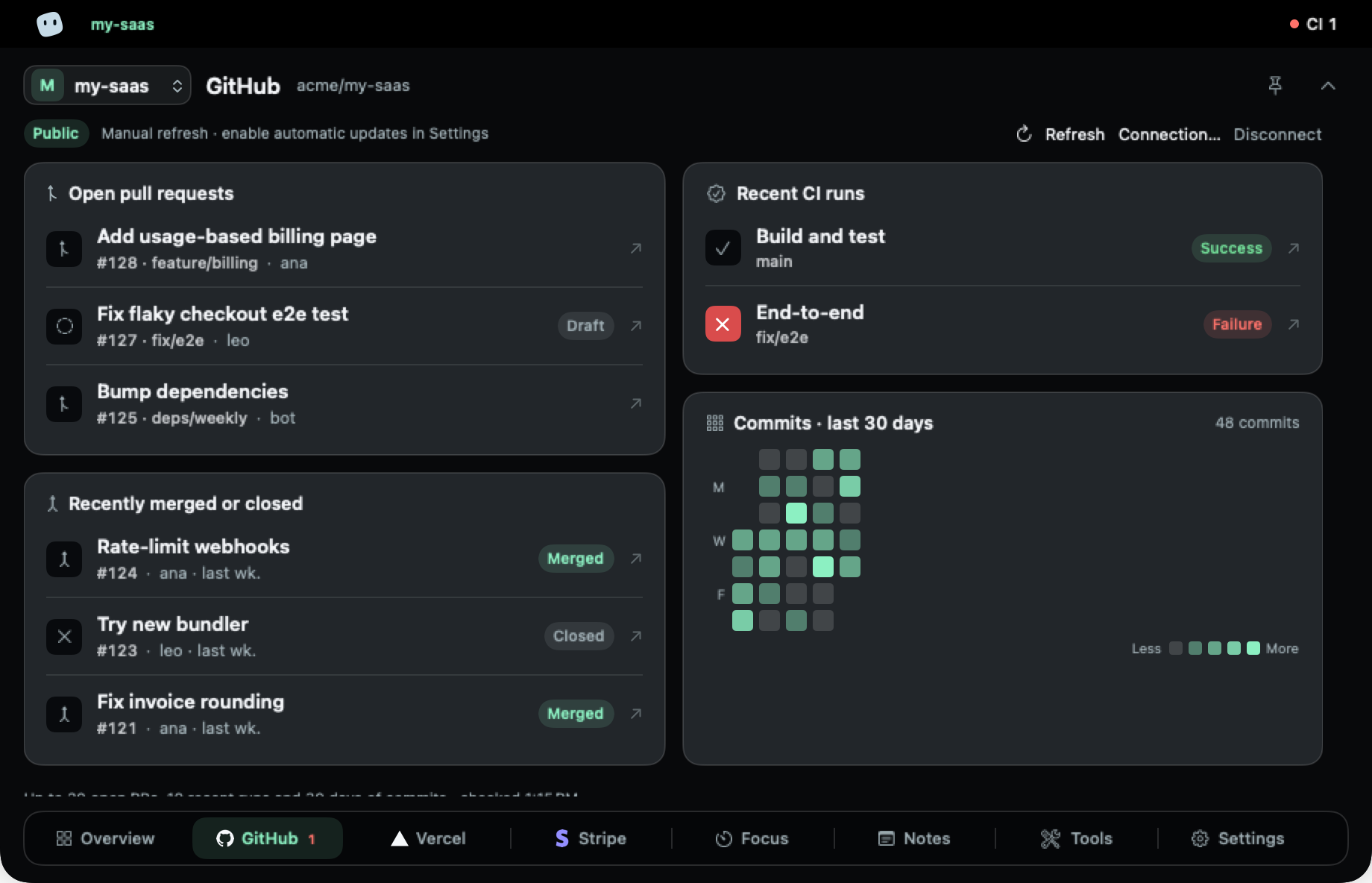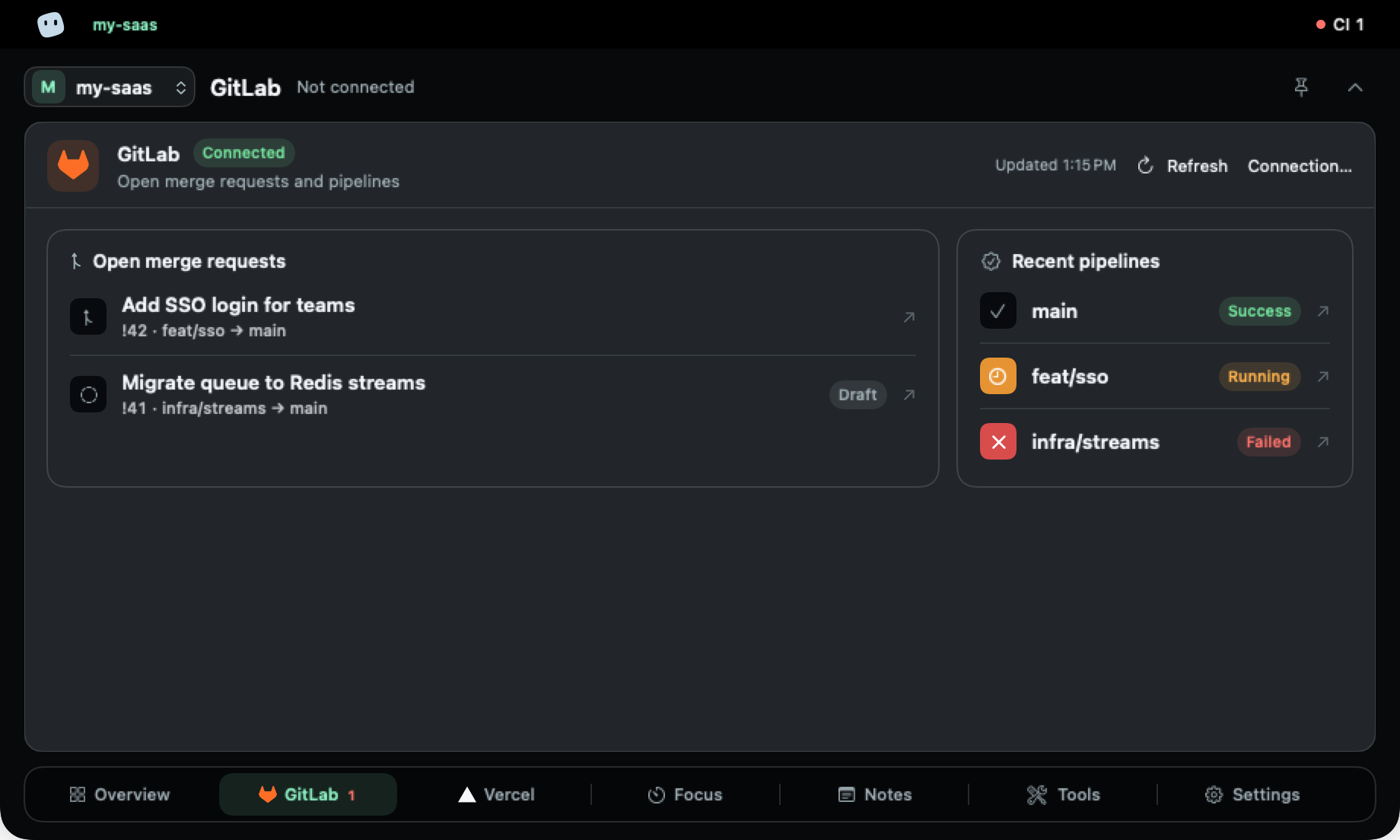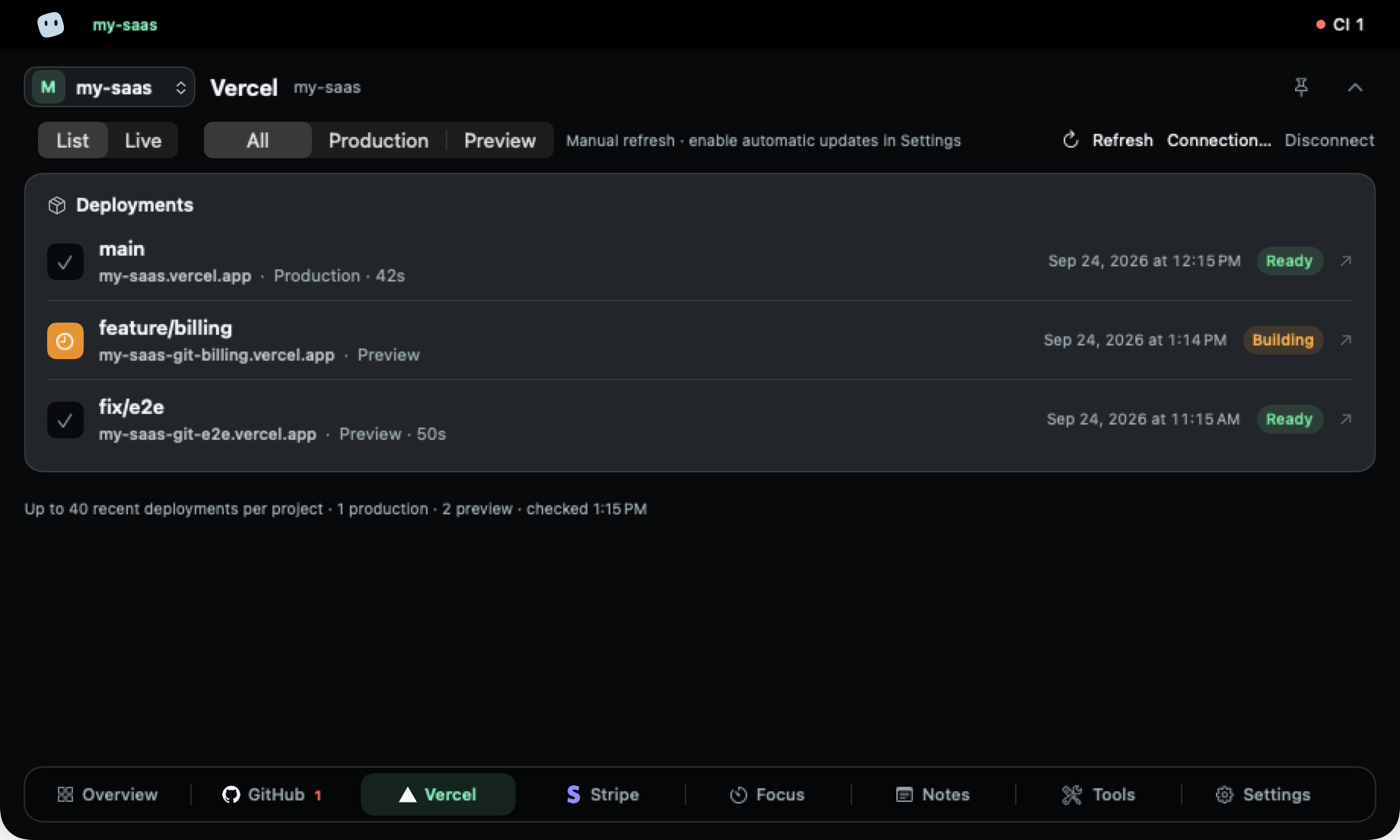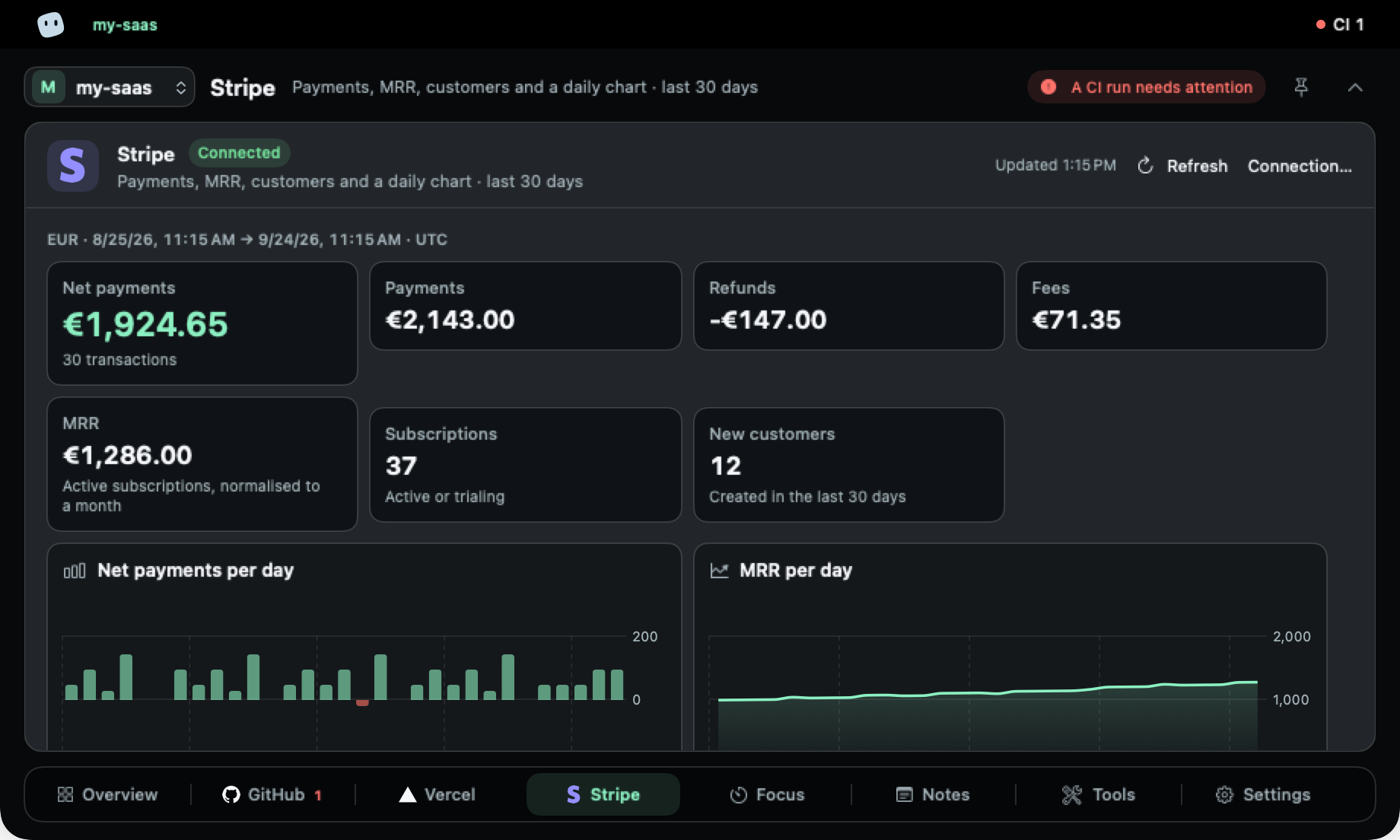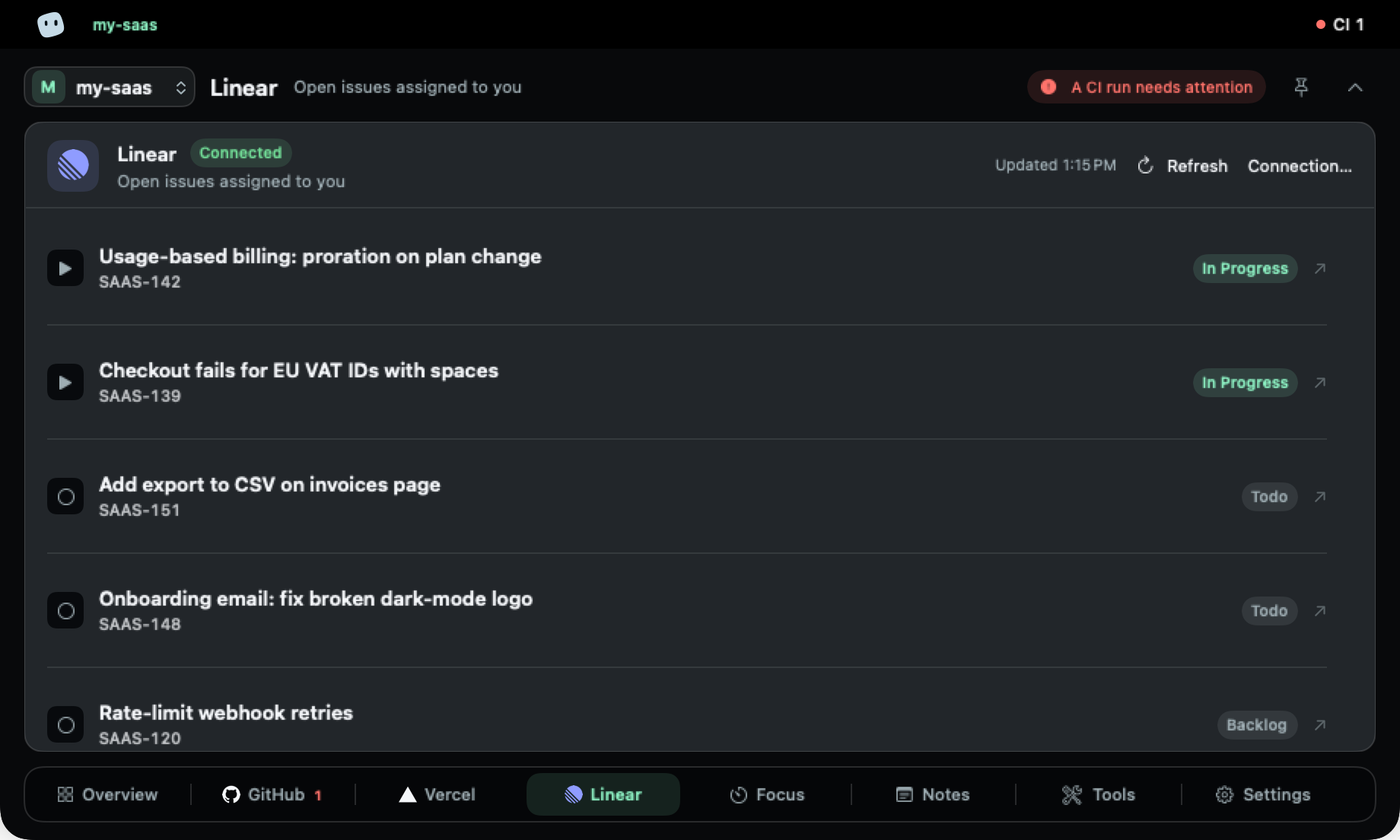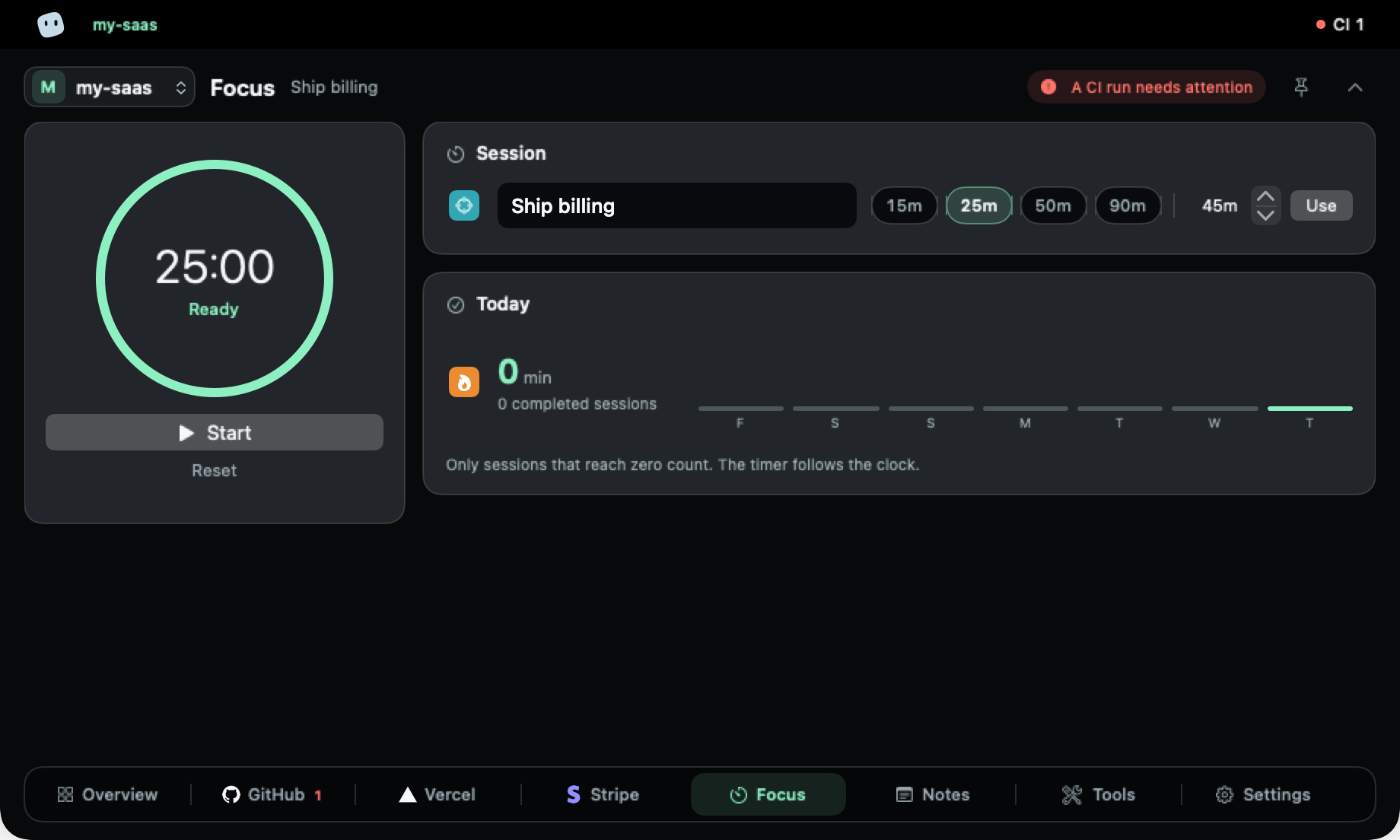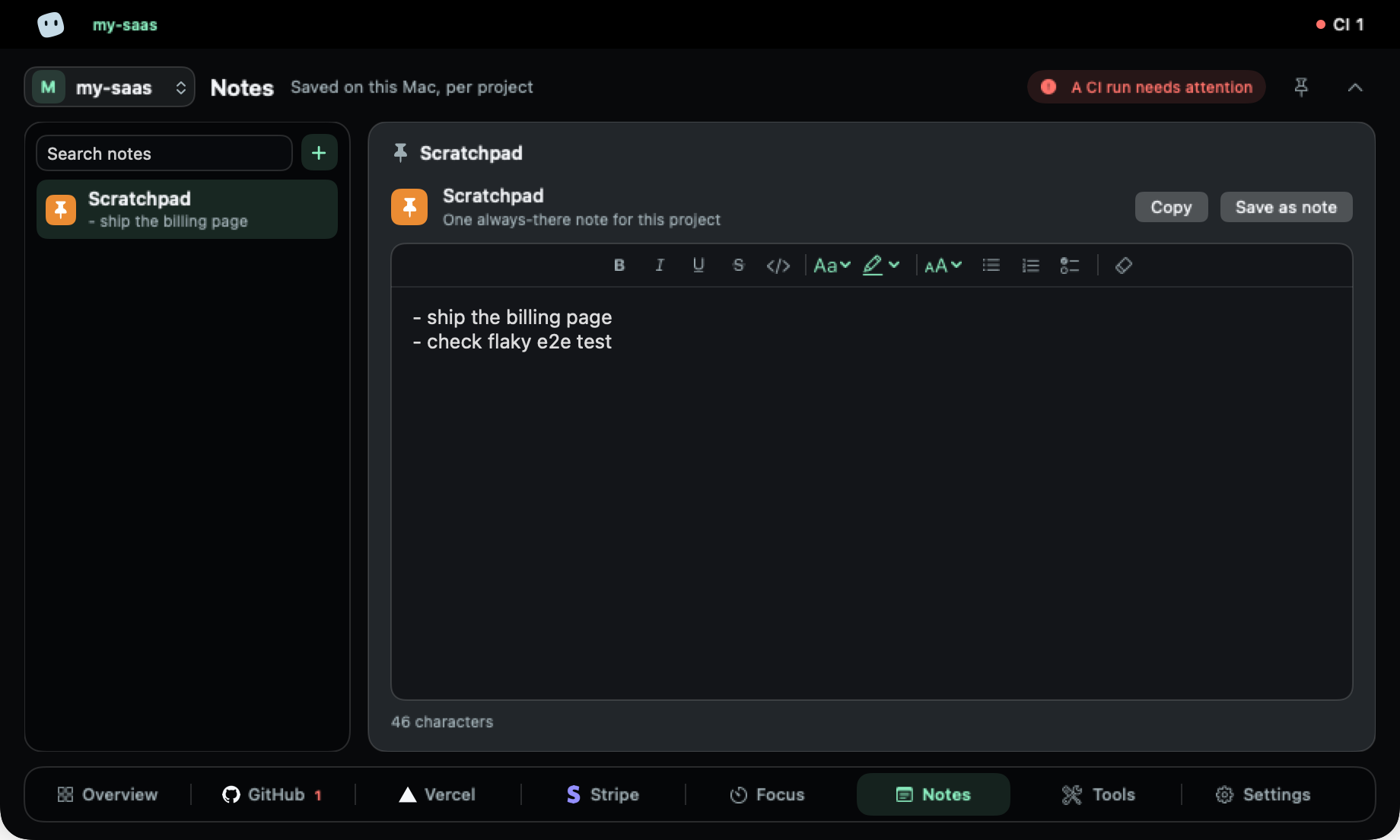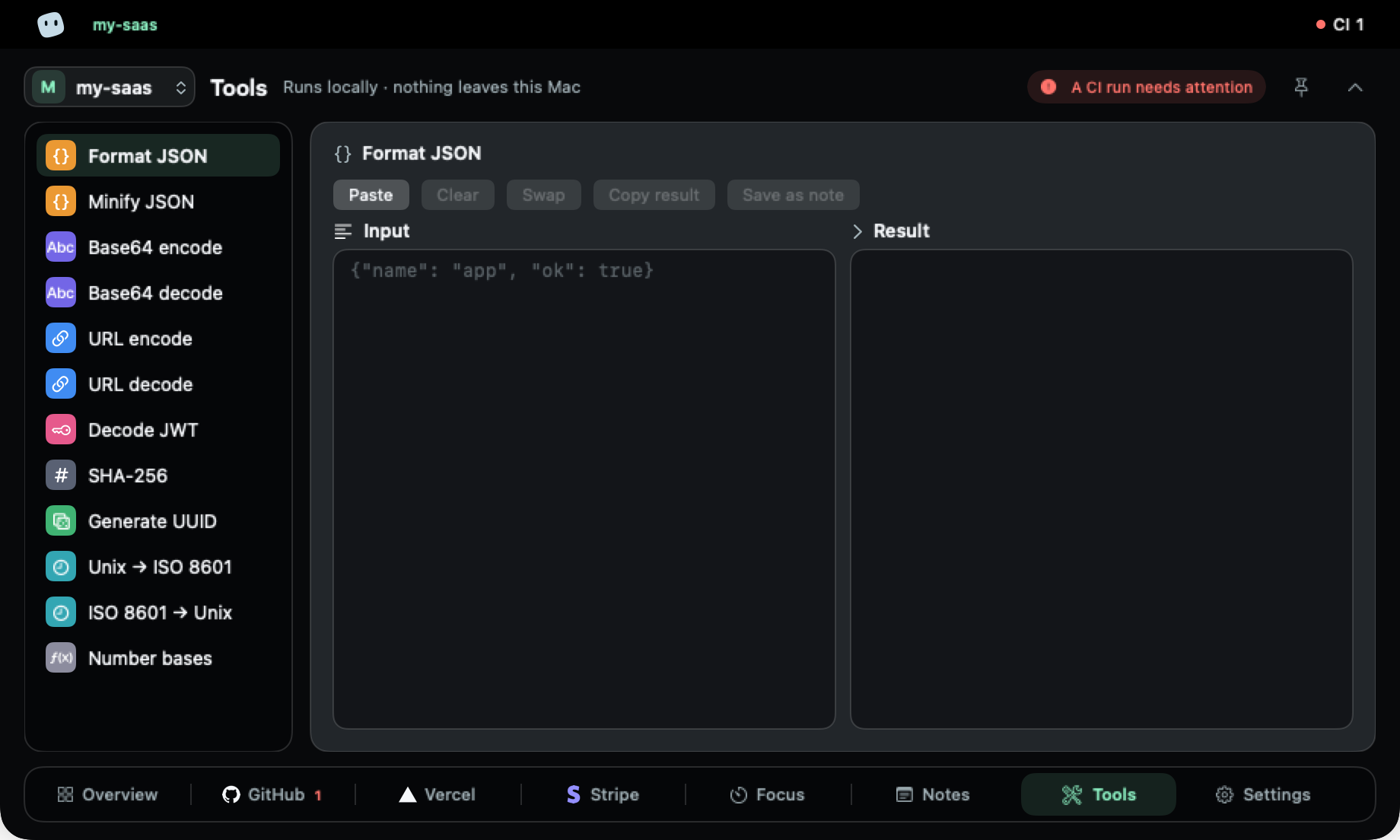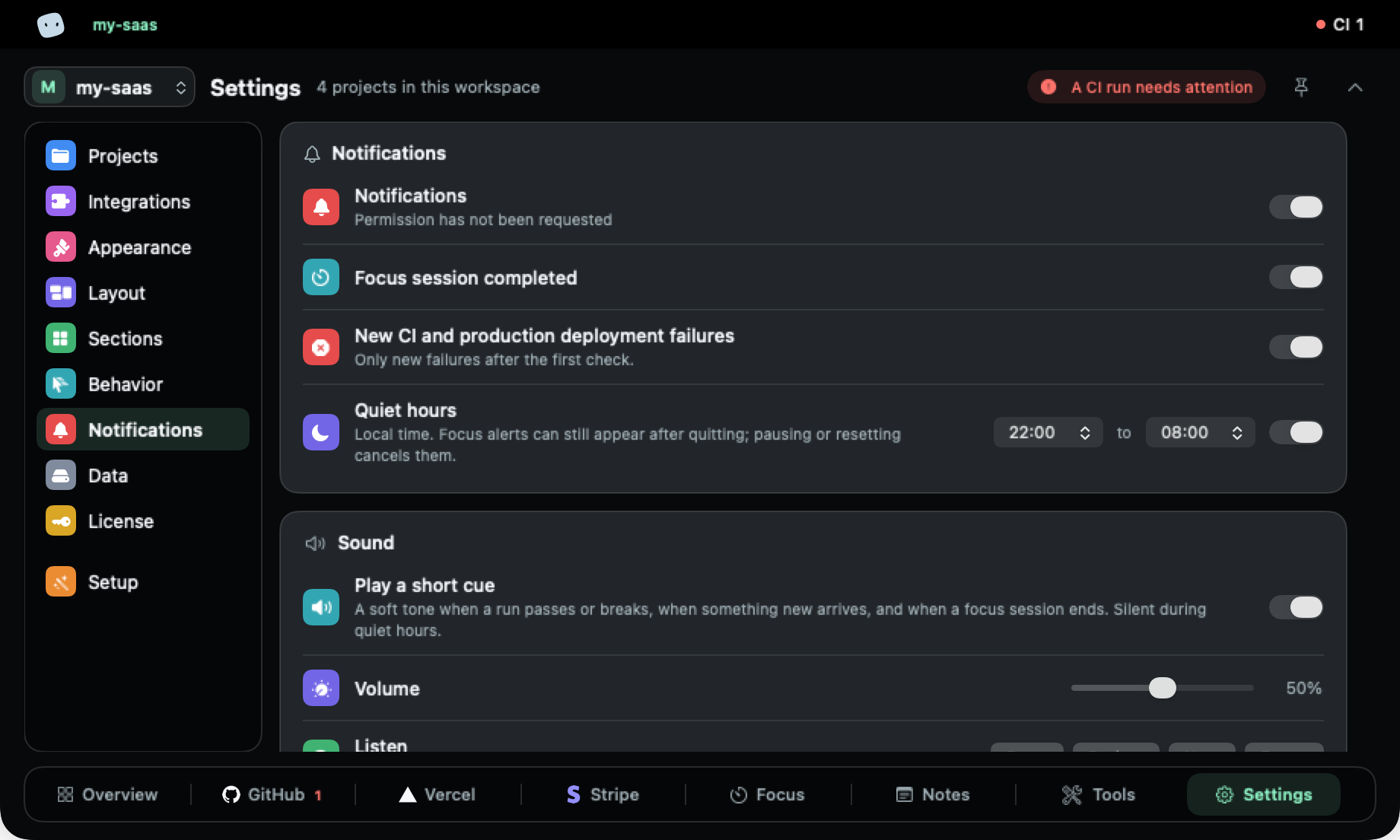
The quiet status panel for the products you have already shipped: pull requests, CI runs, deploys and revenue.

Your projects,at a glance,in the ntch.

No account, no server, no tracking. Read-only keys, kept in your Mac's Keychain.

macOS 14+ · Apple silicon and Intel · 1 Mac at a time

Launch price9 €

Launch price for the first 100 customers — 14 € after that.

A tour of the app, with fictional demo projects.

Integrations

Reads the tools you already ship with.

Connect a tool to a project and its tab appears on its own. Every key is checked with one read request before it's saved.

  • GitHubPull requests, CI runs, commit mapCI/CD
  • GitLabOpen merge requests and pipelinesCI/CD
  • VercelDeploys and a live viewDeployment
  • StripePayments, MRR, customersPayments
  • LinearIssues assigned to youIssues
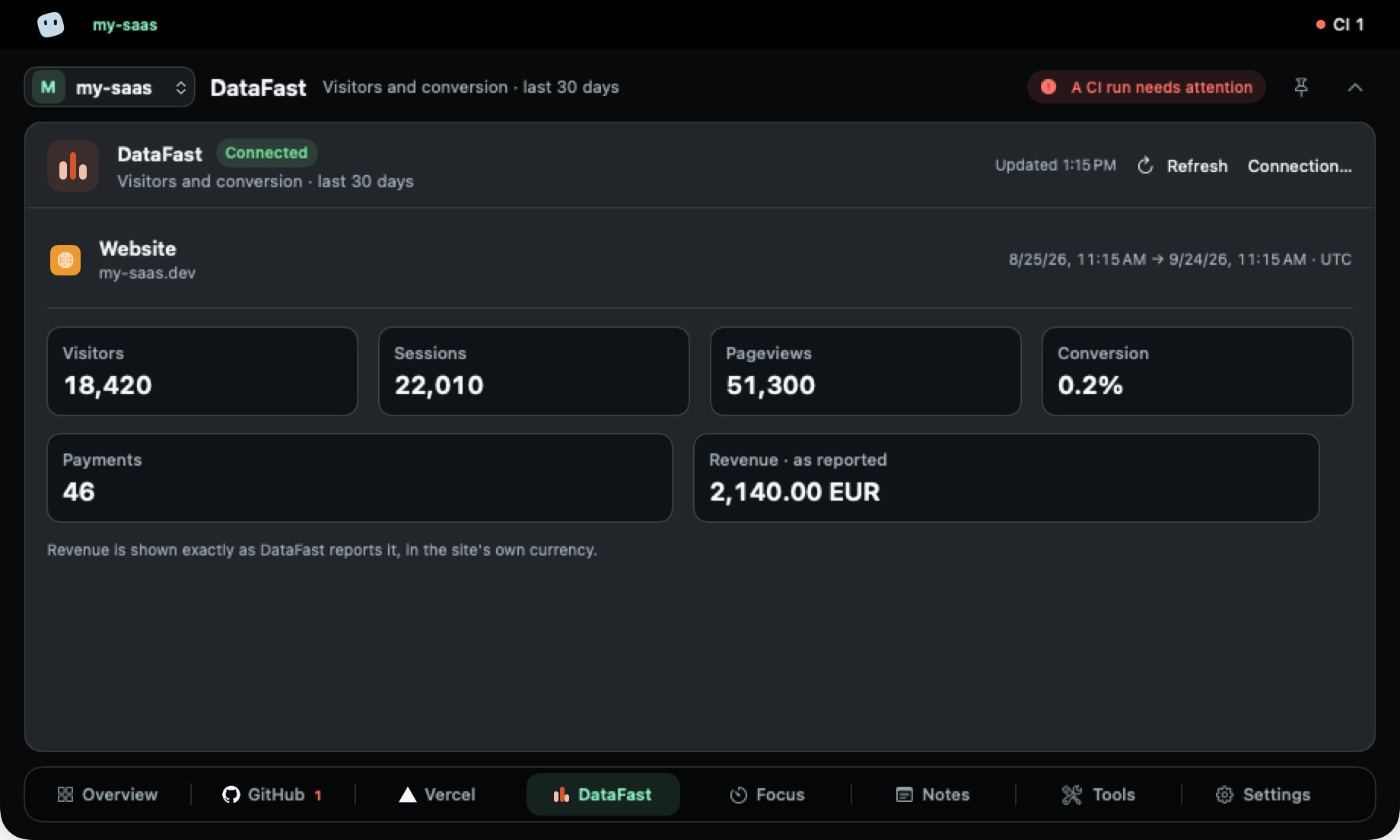
  • DataFastVisitors and conversionMonitoring
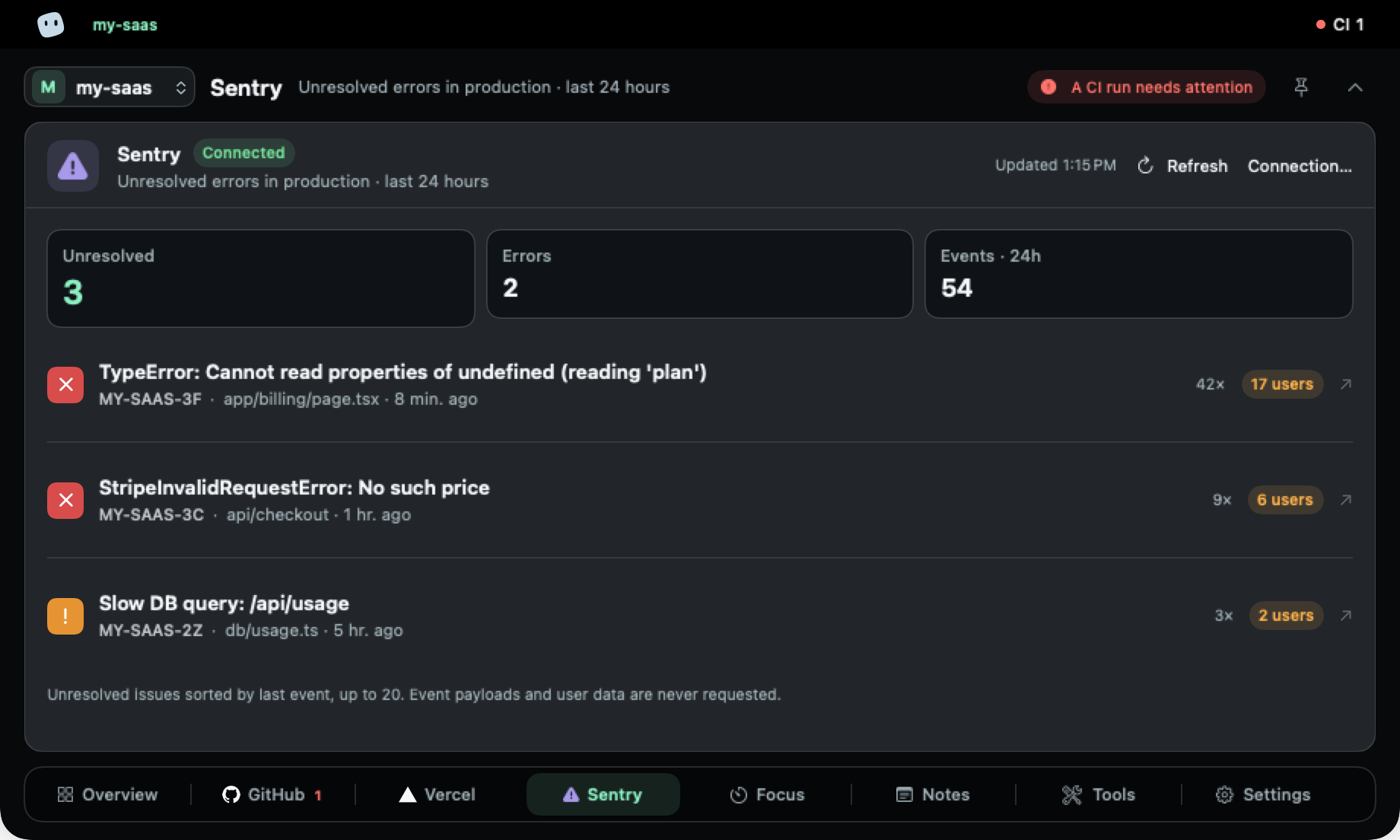
  • SentryUnresolved production errorsMonitoring
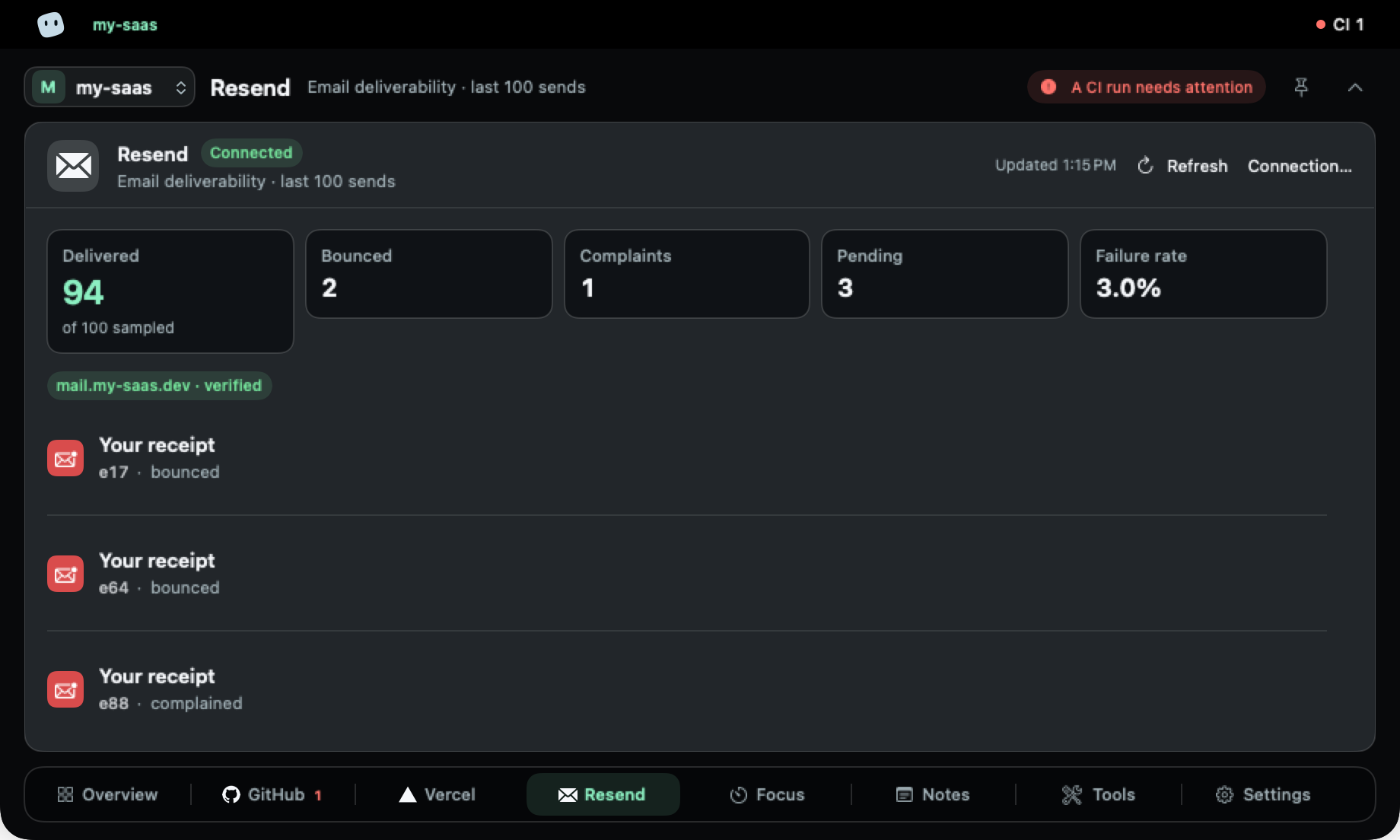
  • ResendEmail deliverabilityMonitoring
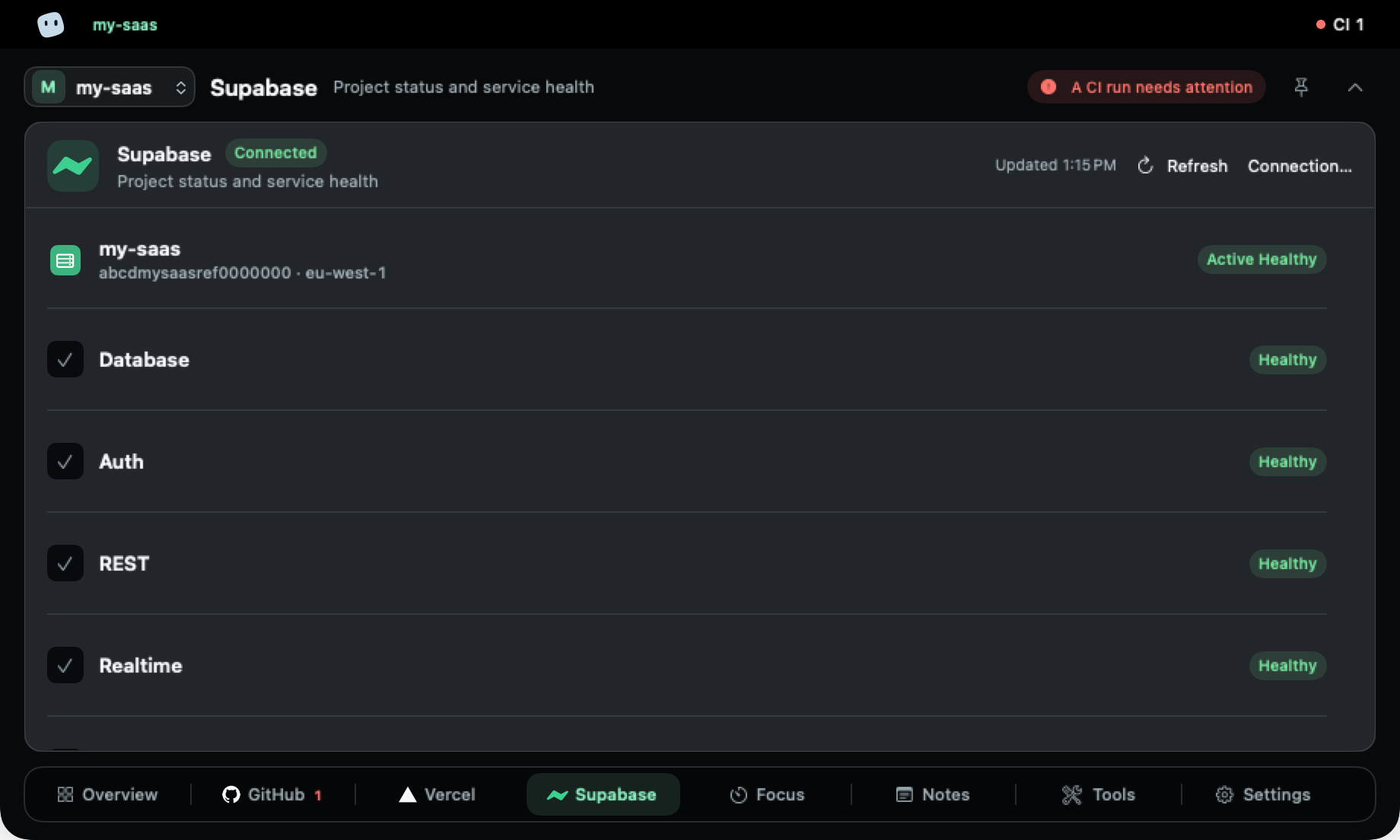
  • SupabaseProject status and service healthInfrastructure
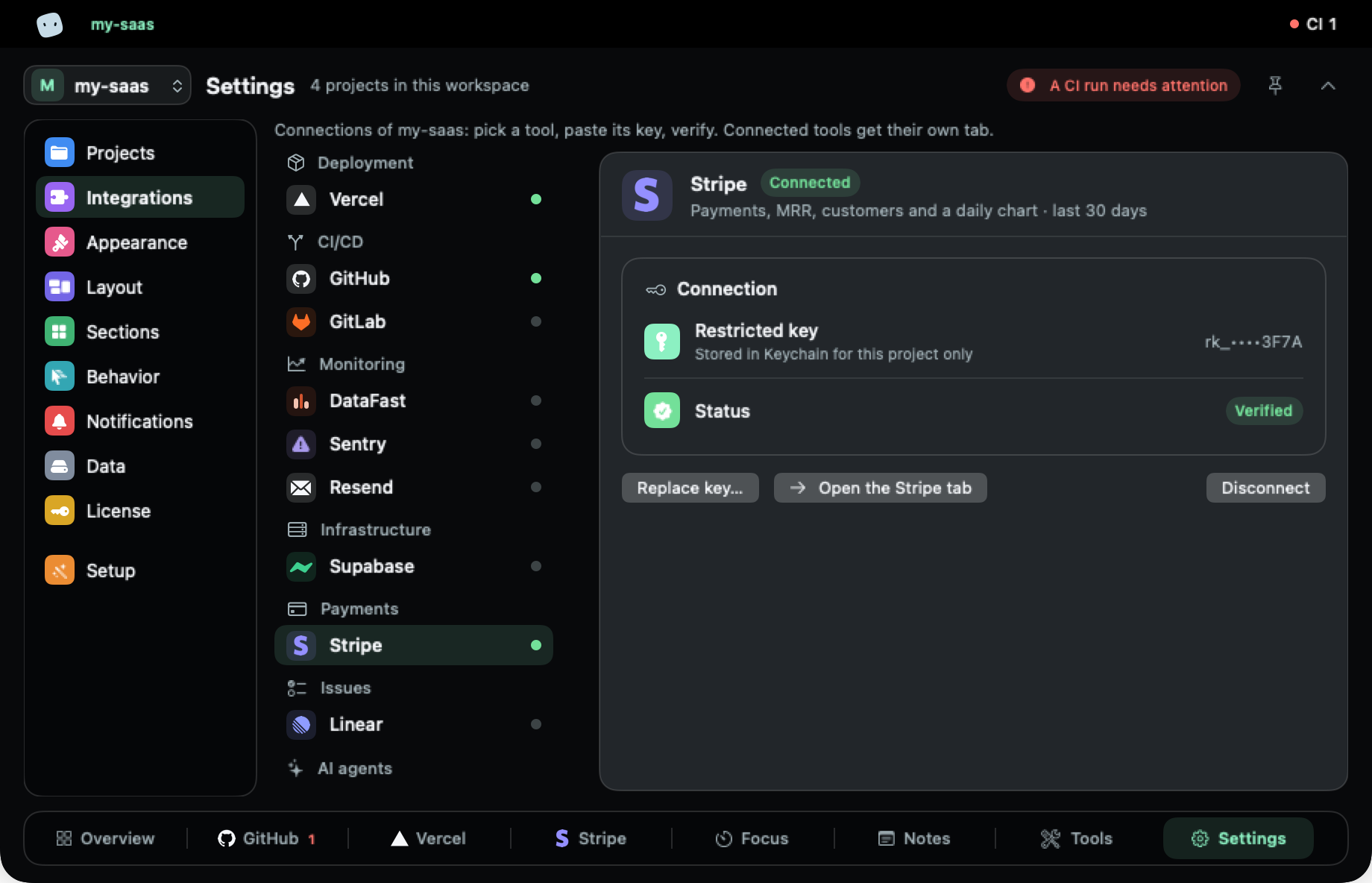
Settings, Integrations: Stripe connected with a restricted key stored in the Keychain for this project only, status Verified.

Connected in three steps.

  1. 1

    Pick a tool

    In Settings → Integrations, per project.

  2. 2

    Paste a read-only key

    A Stripe restricted key, a GitHub fine-grained token…

  3. 3

    Verified, then saved

    One read request proves it works. The key goes to the Keychain, for this project only.

Read-only keys, stored in your Mac's Keychain.

Features

One question first: does anything need you?

Every tab is a real screen of the app. The data is a sample project.

Overview

The answer before the details.

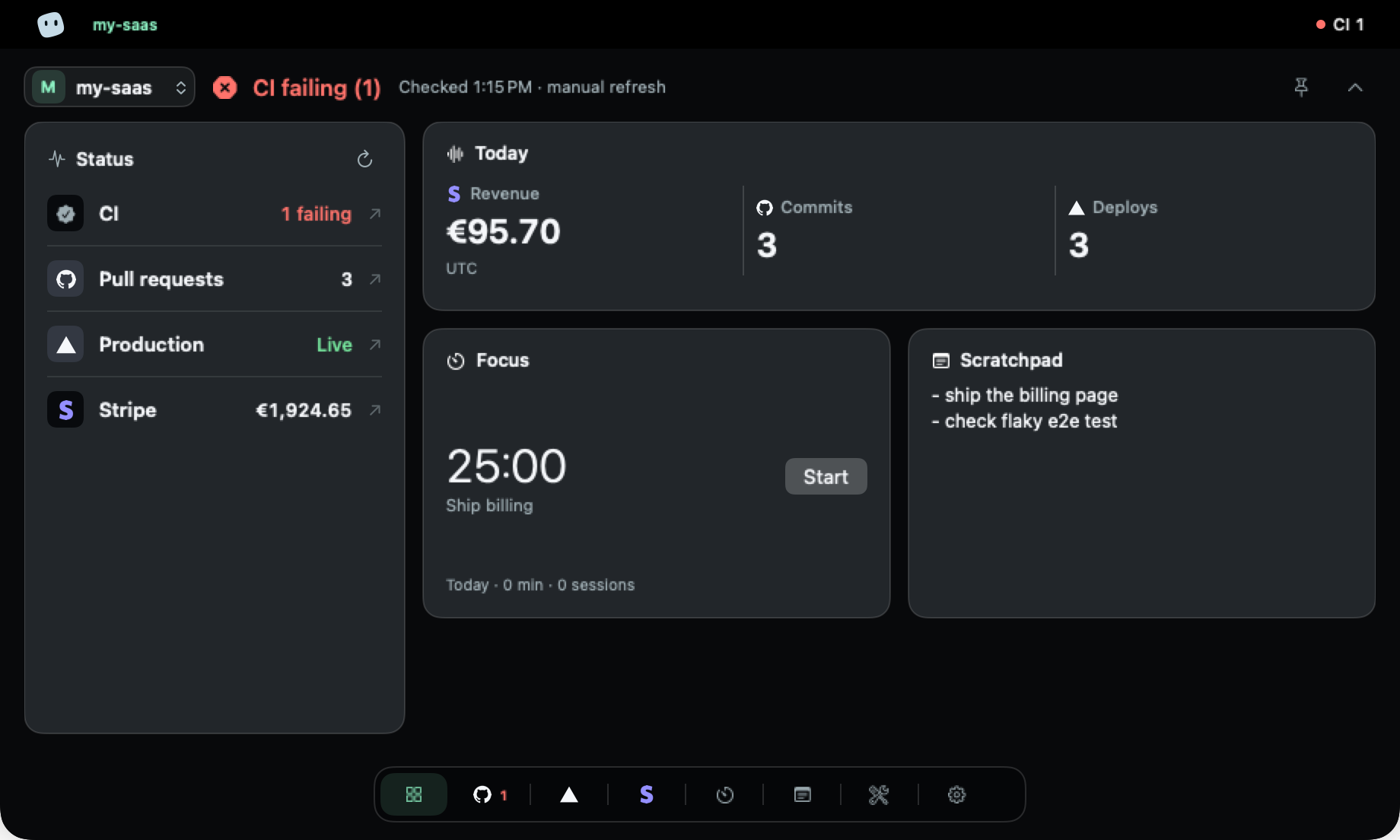
The Overview opens with a verdict for the project, all good or CI failing, then the state of each tool, today's revenue, commits and deploys, a focus timer and your scratchpad.

  • One verdict per project
  • Every row opens the original page
  • Spotify and Music controls, if you want them
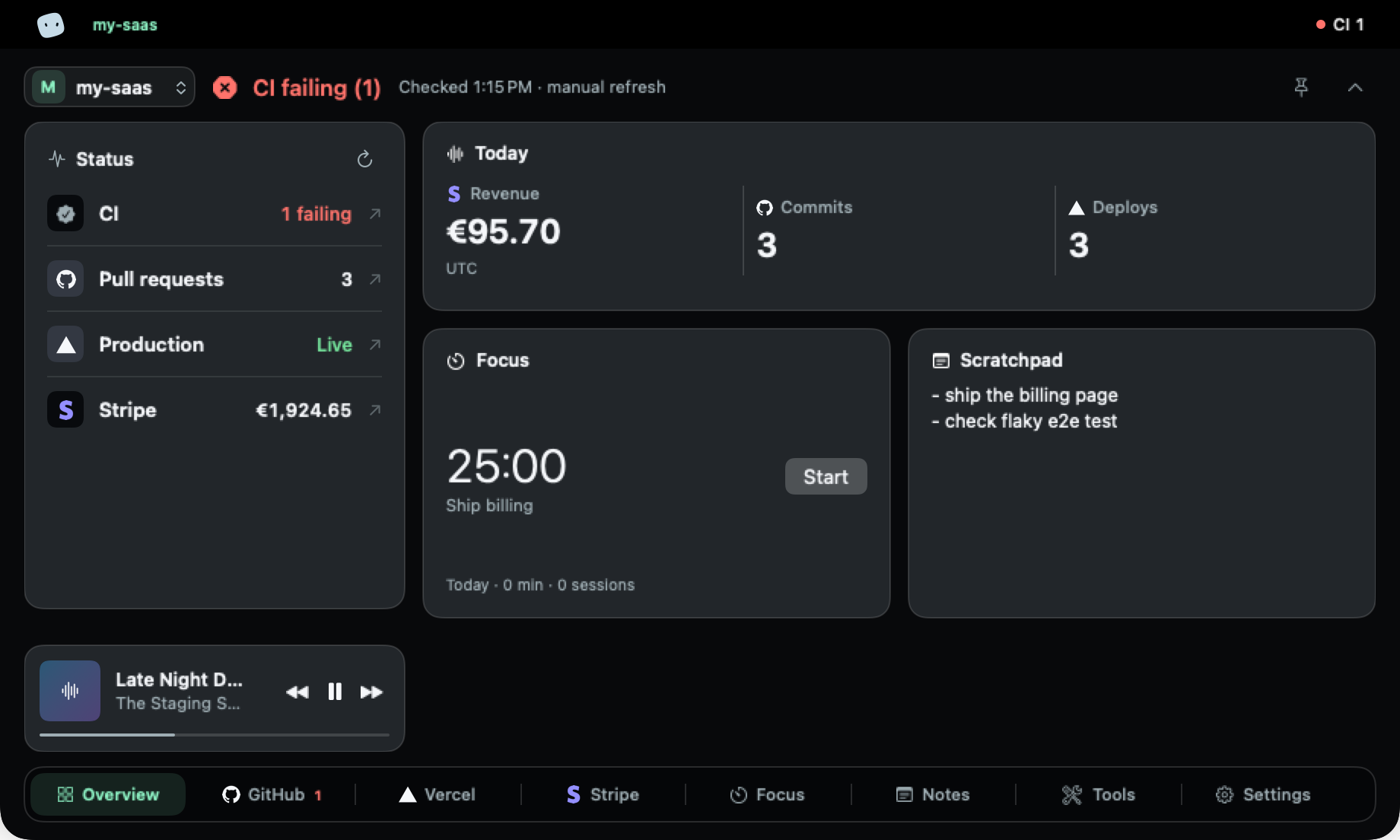
Overview tab: CI failing verdict, the status of CI, pull requests, production and Stripe, today's figures, a focus timer, the scratchpad and the music controls.

Collapsed

Closed, it still tells you.

Collapsed, the notch shows the mascot, a status dot and a short label. When something changes, a headline crosses the wing. A running focus timer takes over the label.

  • All clear — my-saas

  • Something broke — CI failing

  • Focus running — 24:13

  • Something changed — Vercel · my-saas · deploying

Meet the blob.

It breathes, blinks and follows your pointer. Content when everything's fine, sad when something fails, surprised when a build lands, nervous while it compiles.

  • Content
  • Sad
  • Surprised
  • Nervous

Personalise

Make it yours, quietly.

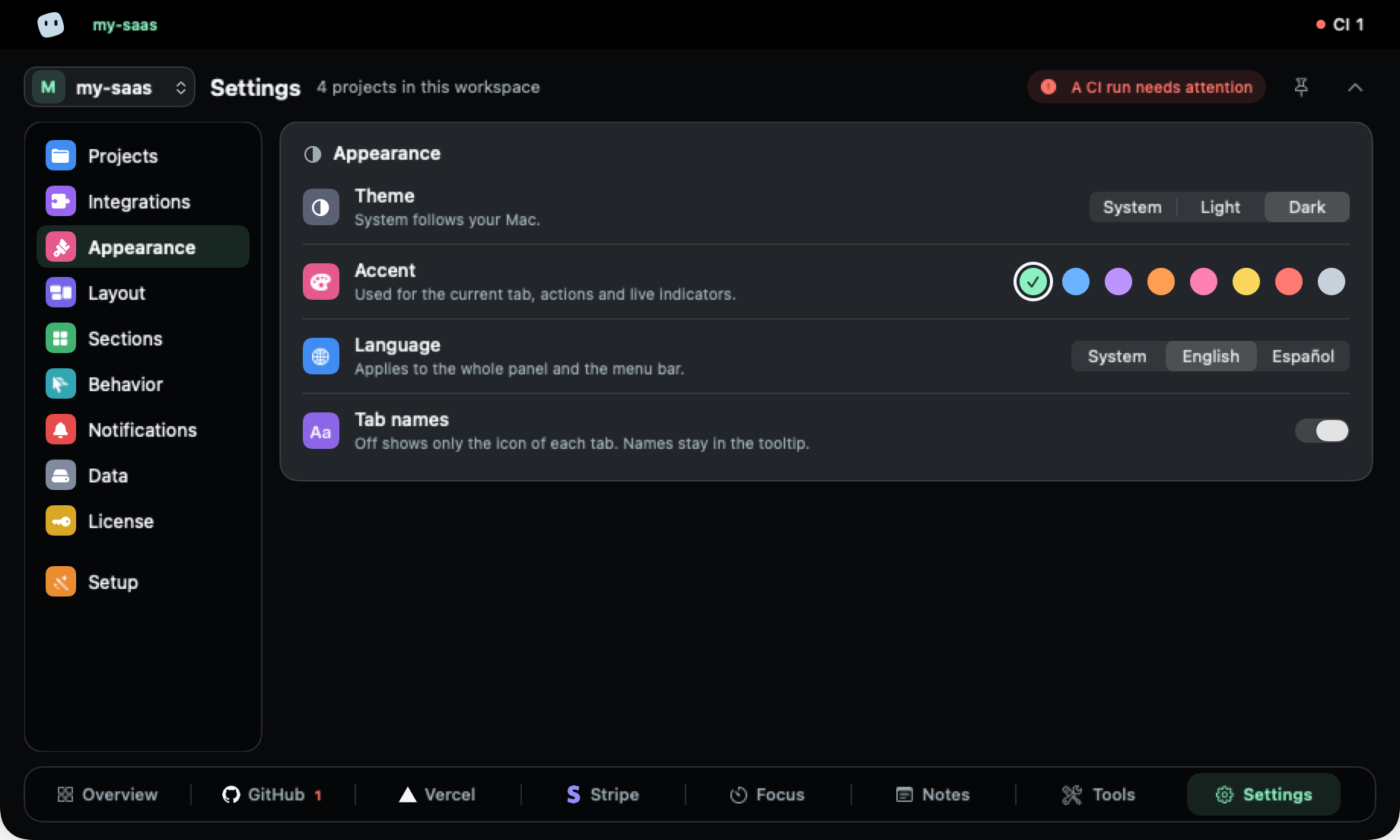
Light or dark, eight accents, tabs with or without names, in the order you want. English and Spanish.

Settings, Appearance: theme, eight accent colours, language and tab names.
Try the accents on this page
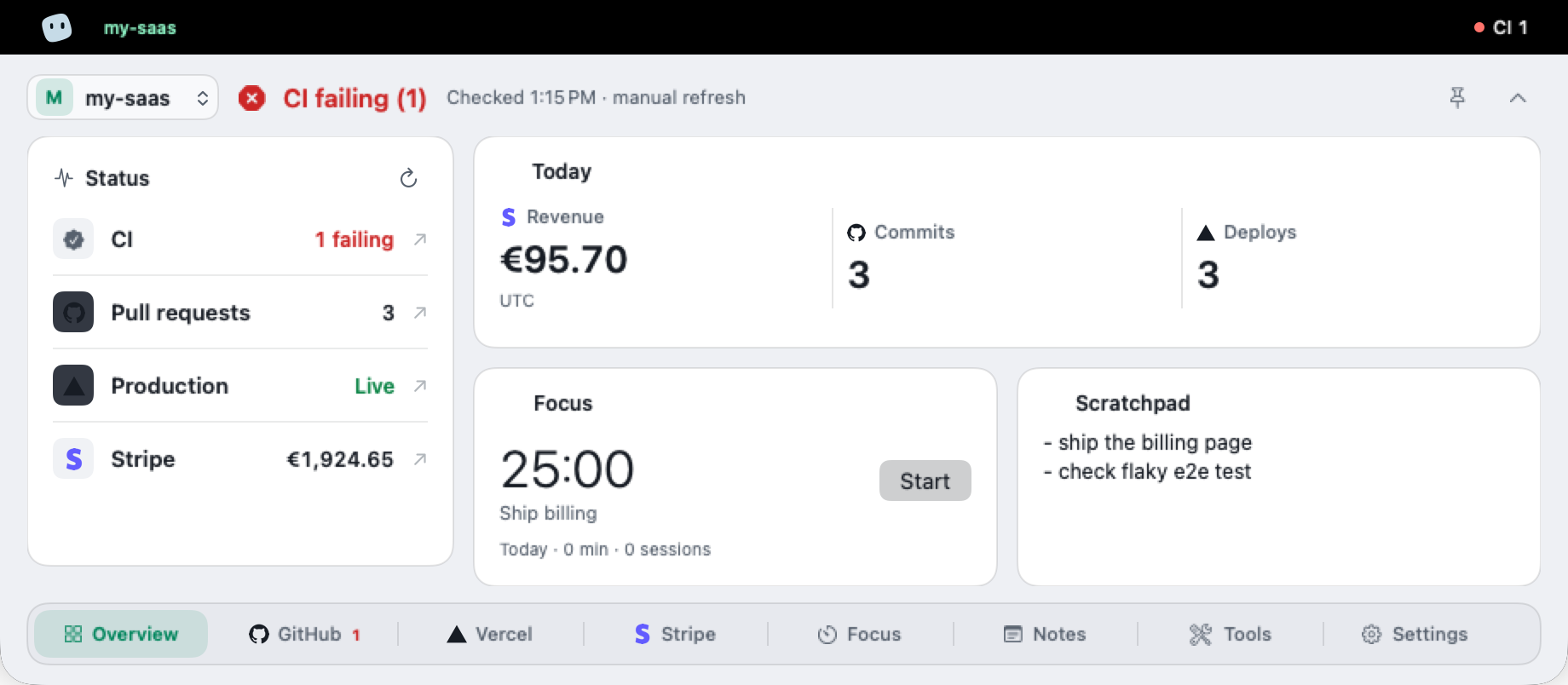
Light, dark or system
The panel follows your Mac, or stays how you set it.
Tabs your way
Show names or just icons. Drag to reorder; hide what you don't use.
English and Spanish
The whole panel and the menu bar, following your system by default.
The panel with icon-only tabs.
The Overview in light mode.

Multi-project

Every project, end to end. No logging out.

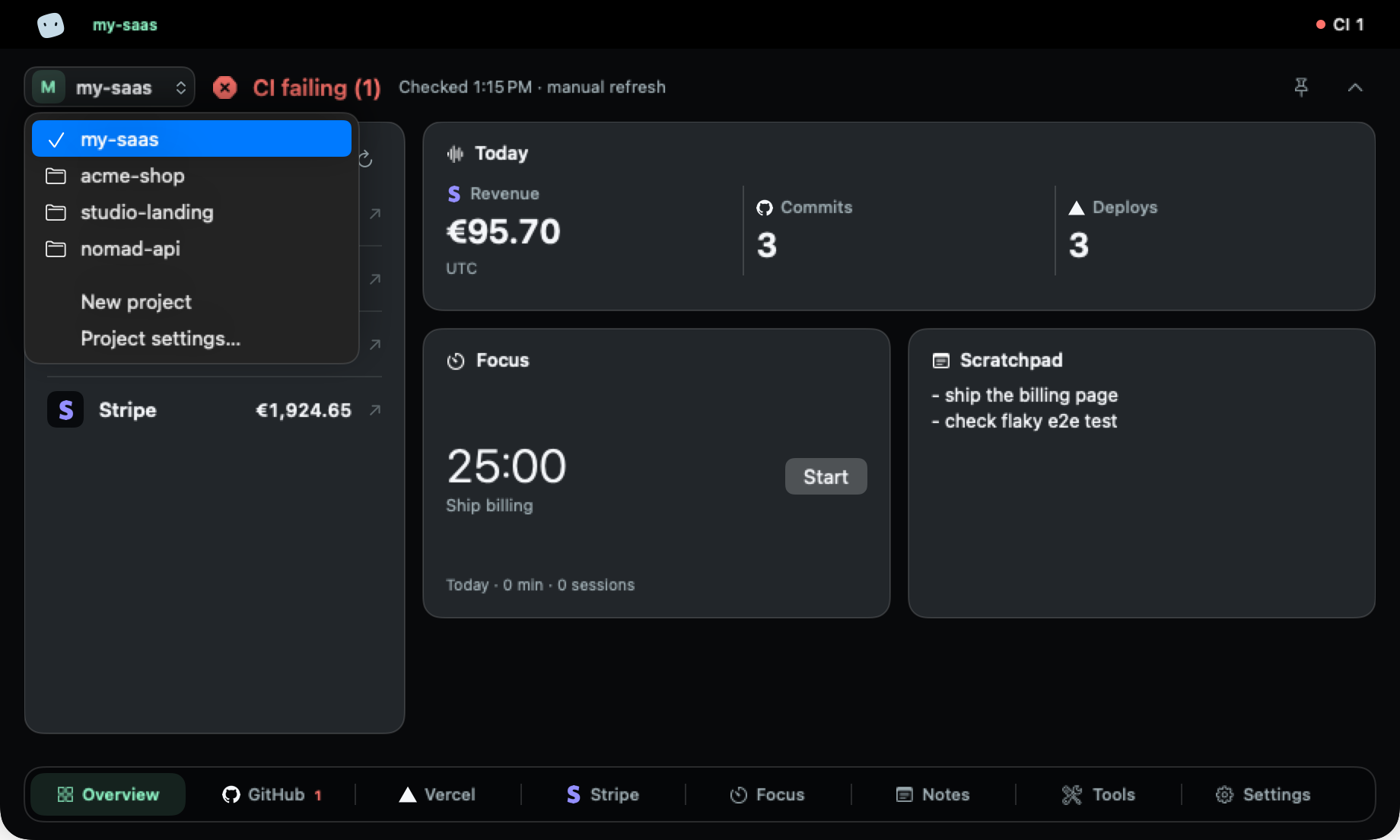
Each project keeps its own keys: one GitHub repository, another Vercel team, a separate Stripe account. Switch projects from the panel and the whole verdict follows, from pull requests to revenue.

The project menu open, listing my-saas, acme-shop, studio-landing and nomad-api, with New project and Project settings.
In the app: switch projects from the project menu.
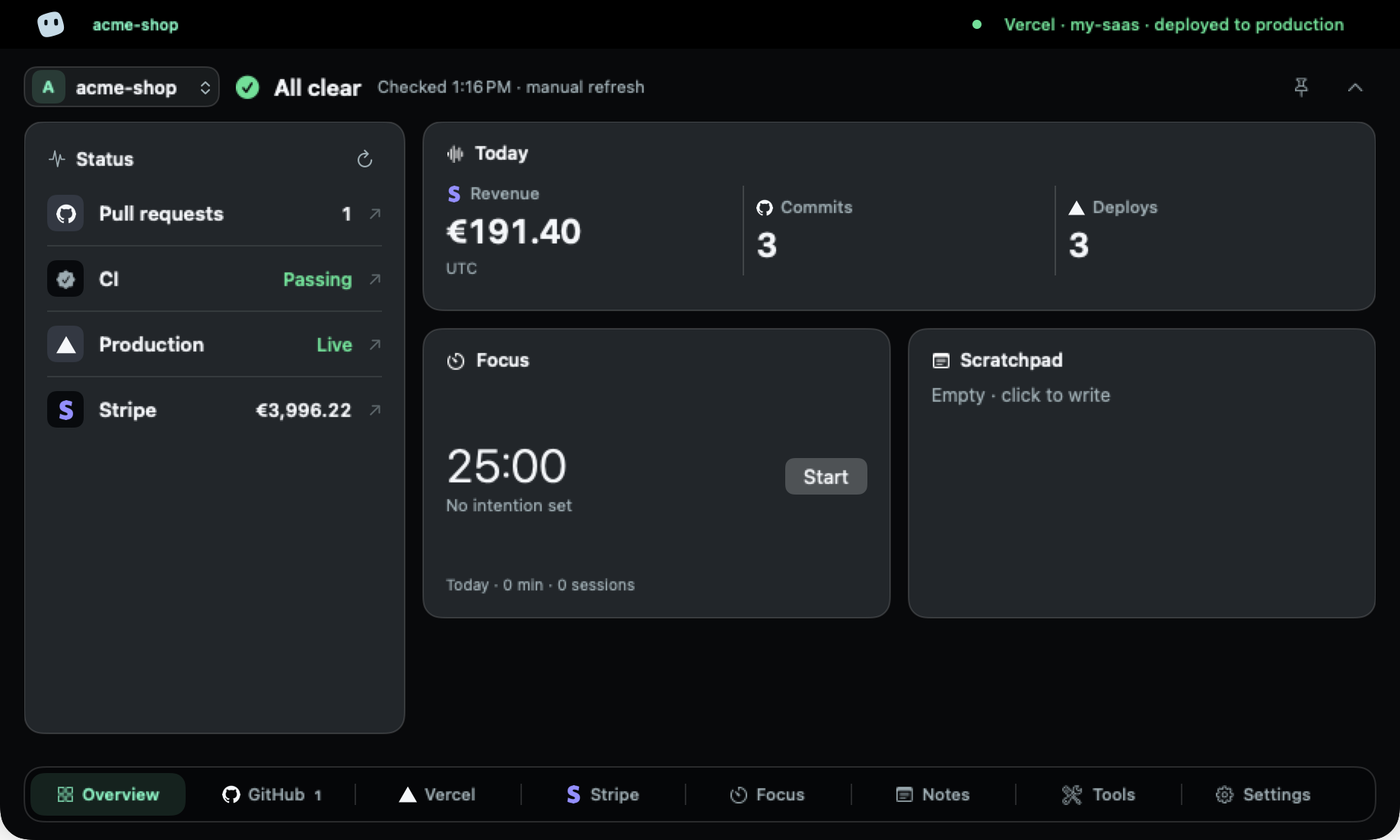
The Overview for acme-shop: All clear, pull requests, passing CI, production live and Stripe revenue.
Another project: its own keys, its own verdict.
  • Separate keys per project, all in the Keychain
  • The active project's verdict, even with the notch closed
  • Switch from the project menu, no accounts to juggle

Privacy

Private by construction.

No account, no MakerNotch server, no tracking. Your Mac talks to each provider directly, and only to read.

  • Read-only

    MakerNotch only reads from your providers. The single exception: creating an empty GitHub repository when you ask it to.

  • No account, no server, no tracking

    Requests go from your Mac straight to each provider. There is no MakerNotch backend to send them through.

  • Verified, then kept in the Keychain

    Every key is checked with one read request before it's saved, and lives in the macOS Keychain.

  • Quiet by default

    Nothing refreshes, notifies or asks for a permission until you turn it on.

  • No special permissions

    No Accessibility access and no Screen Recording. It never needs to see your screen.

  • A license that knows almost nothing

    Activation sends Polar your key and a pseudonymous device identifier. Nothing about your projects.

  • Works on Macs without a notch. The panel opens from the top of the screen instead.
  • One payment, no subscription. Pay once. Updates arrive inside the app.

Pricing

One price. Yours to keep.

Pay once, keep it, and get updates inside the app. No subscription.

MakerNotch for macOS

Launch price

9 €Price after the launch: 14 €one-time payment

14 € after the first 100 licenses

  • Every feature and integration
  • Updates inside the app
  • 1 Mac at a time, no expiry
  • No account, no subscription
  • Works 30 days offline
  • Light and dark, eight accents
Get it for 9 €

Statutory consumer rights apply · Secure checkout by Polar, VAT included

Already bought it? Download · Manage my licenses

FAQ

Questions, answered.

The short answers. Anything else, write to us.

Do I need a Mac with a notch?

No. On a Mac without a notch, or on an external display, MakerNotch opens as a panel from the top of the screen.

What data does it read, and where is it stored?

Only what the tools you connect expose to a read-only key: pull requests, CI runs, deploys, payments, issues and so on. Requests go from your Mac straight to each provider. Keys live in the macOS Keychain; projects and notes stay on your Mac.

Is it safe to connect Stripe?

Use a Stripe restricted key with read-only permissions. MakerNotch checks it with one read request before saving it, and never writes to your account.

How do I open it?

Hover the notch, or click the MakerNotch icon in the menu bar. ⌘1–9 switches tabs and Esc closes the panel.

What happens in full screen?

It stays out of the way: MakerNotch doesn't cover apps in full screen.

Can I hide tabs I don't use?

Yes. Every tab can be hidden, and you can drag tabs to reorder them.

Is it a subscription?

No. You pay 9 € once and keep it.

How many Macs can I use it on?

One Mac at a time per license. To move it to another Mac, release the old one from Settings → License or from the customer portal.

Can I get a refund?

There is no voluntary money-back guarantee. Mandatory withdrawal and product-conformity rights still apply where required by law. See our refunds and withdrawal policy; Polar handles eligible refunds.

Does it work offline?

The license keeps working for 30 days without a connection. Figures from your providers refresh when you're back online.

How do I get updates?

Inside the app. MakerNotch checks once a day if you allow it, and you can check by hand from the menu bar. Your license, projects and settings are kept.

Still have a question?

Write to us, or read the installation guide.

Keep your eyes on the code.

Let the notch keep an eye on everything else.

macOS 14 or later · Apple silicon and Intel